FX35 Load tester
3 days, 10 hours ago raspberrypi fan nablopomo poe
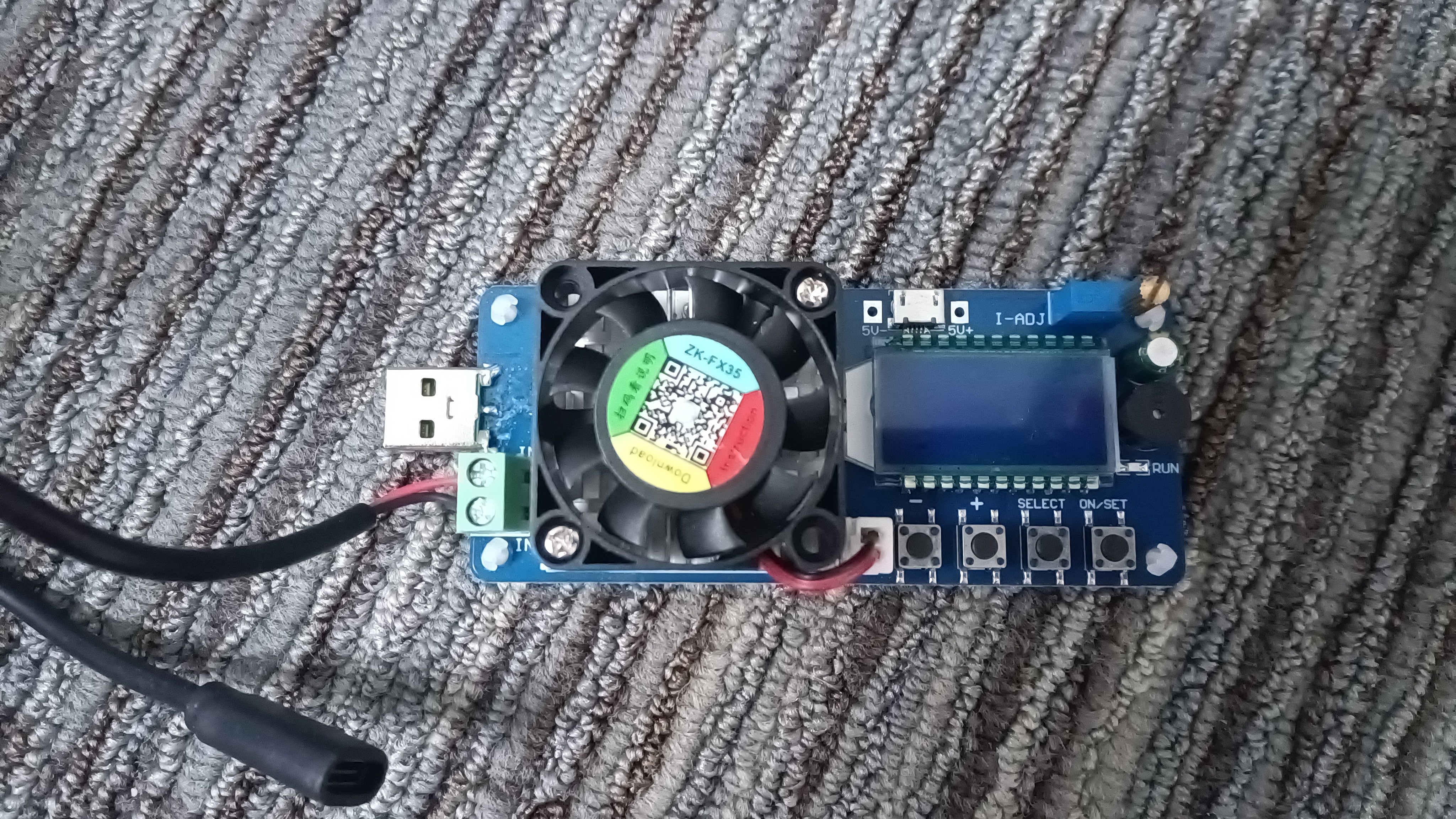
I've written previously about my desire to find a good PoE adapter for the Raspberry Pi 5, and some of the equipment I'll use for this. One thing that'll be very important is being able to vary the load we place on the power supplies in a controlled way, so that we can measure how well they do. Using an actual Pi for this isn't very convenient, as it tends to just draw however much it needs - and it's likely to be incredibly tricky to get it to do just enough thinking to draw a certain amount of power from the supply.
Enter the load tester...
I got this from Amazon and it seems like a bargain. At this price (not much more than a tenner) I'm happy if it works at all, and it certainly appears to.
The supply to be tested connects at the left; there's a USB-A connector to plug it directly into a charger with that sort of socket, and a pair of screw terminals for connecting to other things (my intention is to connect a USB-C socket here). The device also requires power for itself - through a micro-USB connector at the top. I always find this slightly surprising, in that somehow I always think it should be able to get power from the supply it's testing - but it makes complete sense for it not to, because for one thing it's useful to be able to set it up before the load is connected (especially if, for example, you want to use it to measure the capacity of a battery); for another, the supply under test may of course conk out at any point, and you wouldn't want that to disable your tester!
Near its power input is a blue cuboid with a gold knob on top. Turning this controls the current the load will attempt to draw from the supply - and the display (located just below it) shows you the current setting. A row of four buttons allow you to turn the load on and off, as well as set various thresholds - you can get the device to beep, for example, if the supply voltage drops too low. The display can also show the currently-measured voltage, current and power, as well as the cumulative charge that has flowed through since the device was last reset.
The biggest component on the board is a fairly large heatsink, with a fan mounted on top. If, during testing, the board's temperature rises too high, the fan comes on to help cool it down.
So this should allow me to draw a measured amount of power from each power supply I want to test - and see how it responds. Next step is to try it out on some power supplies I believe are good.
0 comments